Changelog

Everything we've shipped, newest first. Blipko started as a Telegram bot that logged what you spent; here's how it got from there to here.

Subscribe via RSS

Analytics, rebuilt

FeatureImprovement

"You spent ₹17,041 this cycle" is a fact. "Saturday is your heaviest day — a third of everything" is something you can actually do something about. Analytics has been rebuilt around the second kind.

Buckets, at a glance
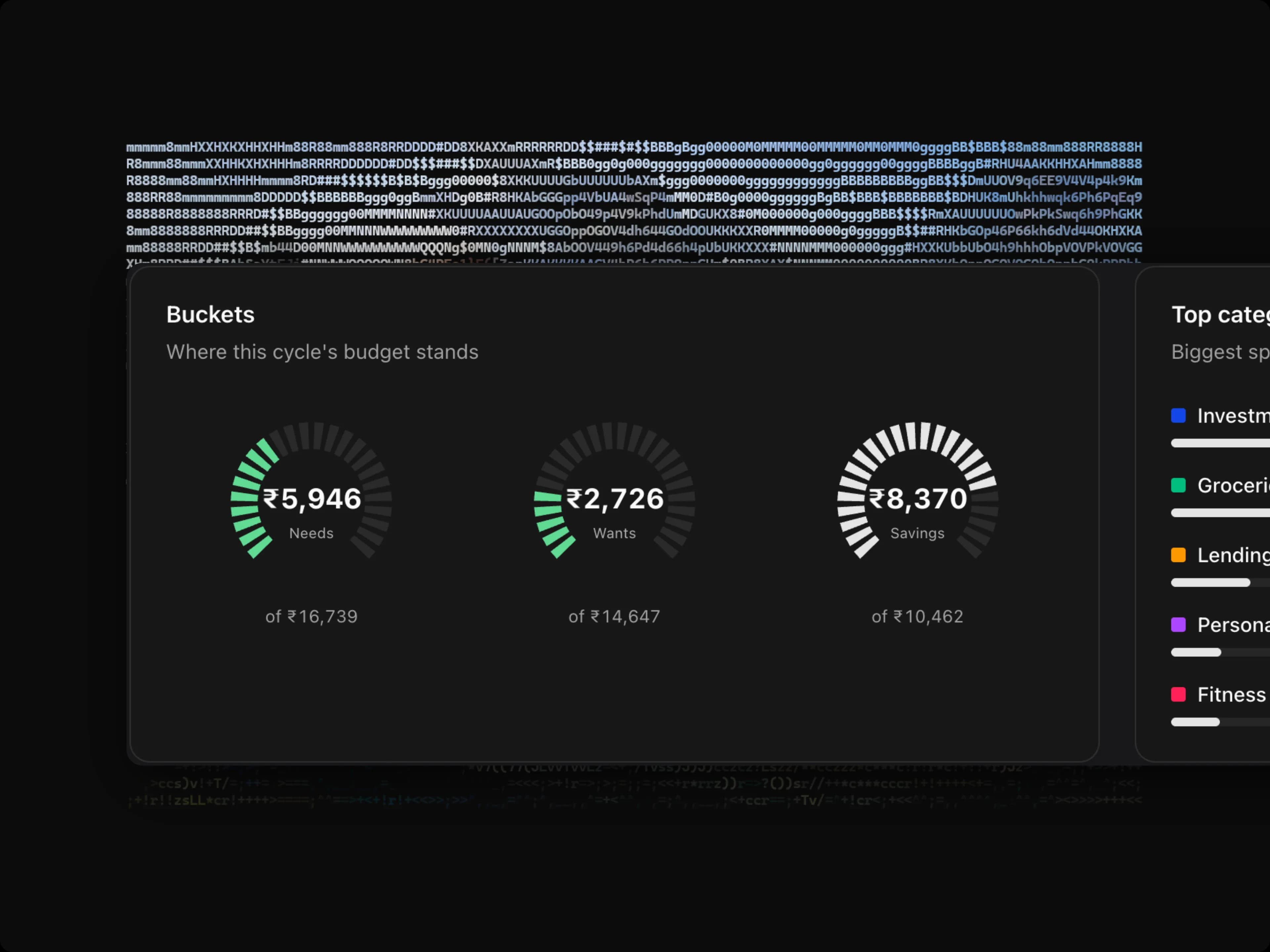
Three gauges showing Needs, Wants and Savings spending against each bucket's budget for the current cycle
How full each bucket is, without reading a single number.

Needs, Wants and Savings as gauges. You can see how much of the cycle you've used before you've read anything — the number underneath is confirmation, not the point.

Where the money went
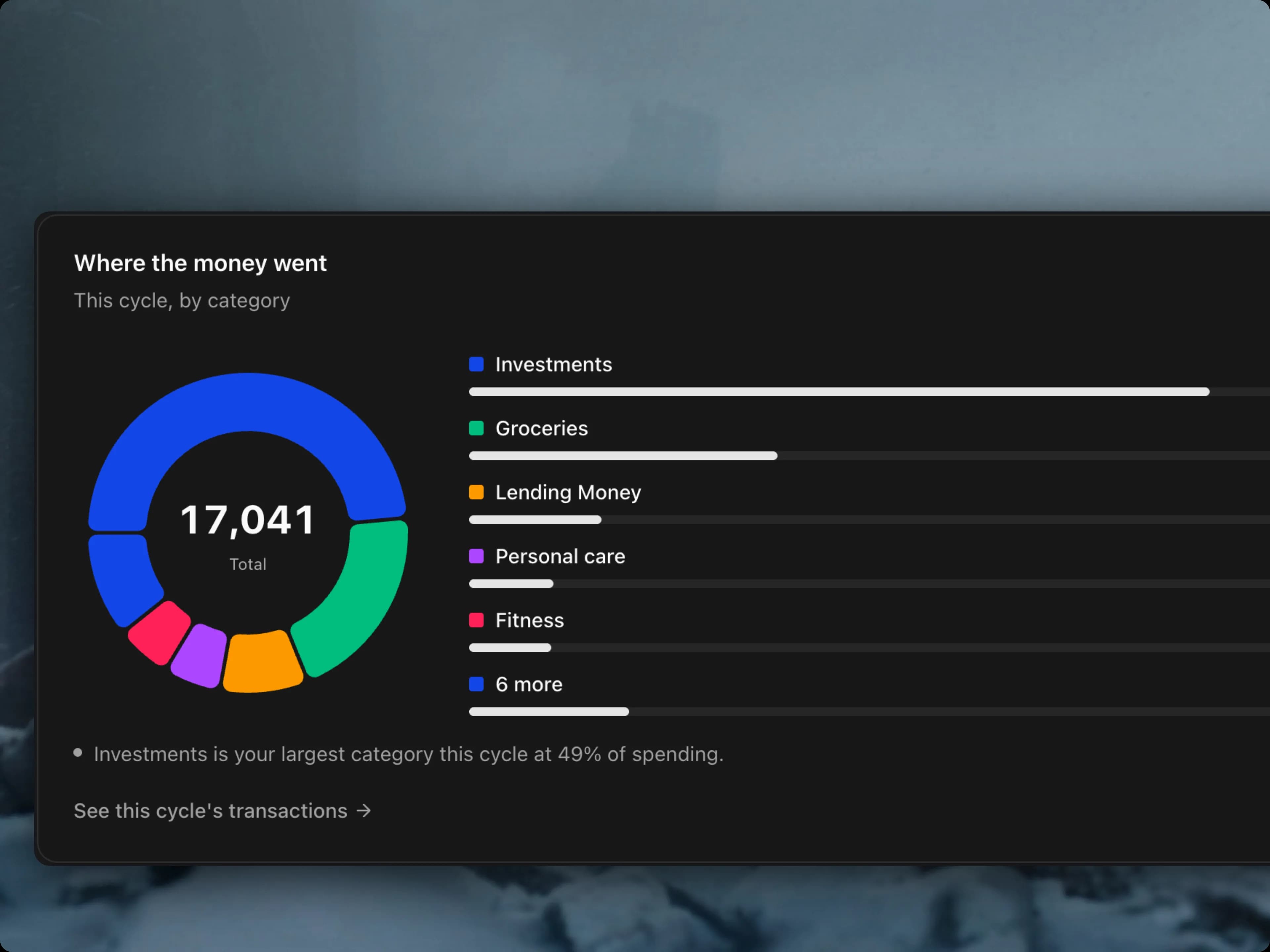
A donut chart of this cycle's spending by category, with Investments the largest slice at 49%
The biggest slice is named for you, so you don't have to hunt for it.

Your cycle broken down by category, largest first — and the headline called out in a sentence, because the whole reason you opened the chart was to find out which one it was.

Income vs spending
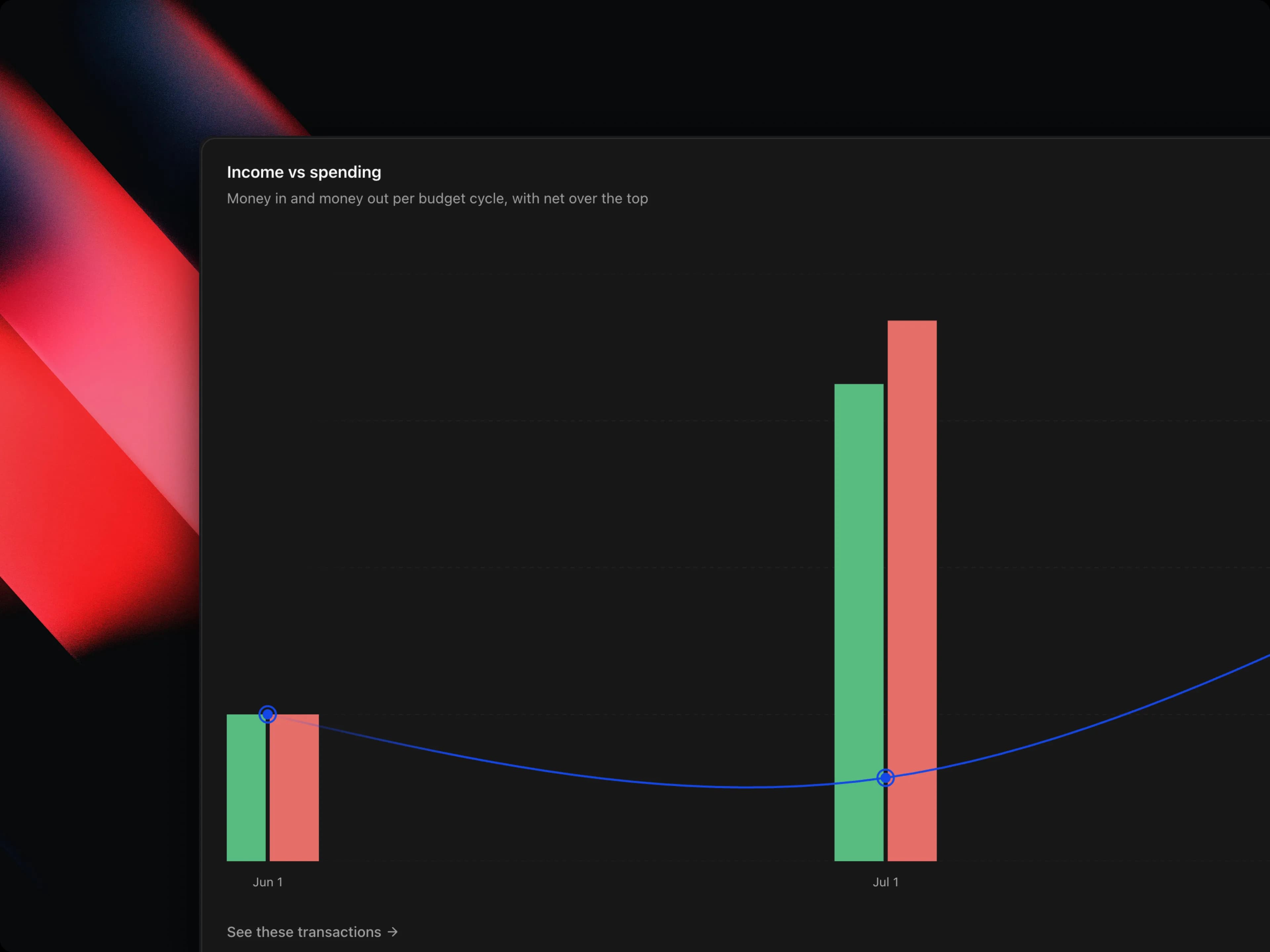
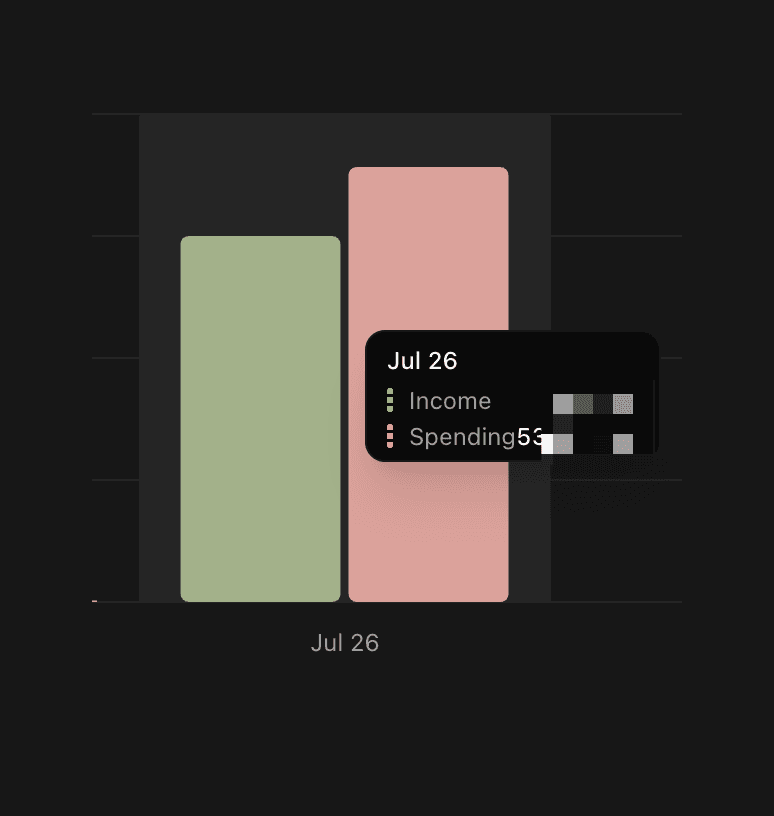
Bars of income and spending per budget cycle with a net line drawn over the top
Money in, money out, and the net drawn over the top.

Money in against money out, cycle by cycle. The line over the top is the net — the shape of it tells you whether the gap is widening or closing.

Spending by day of the week
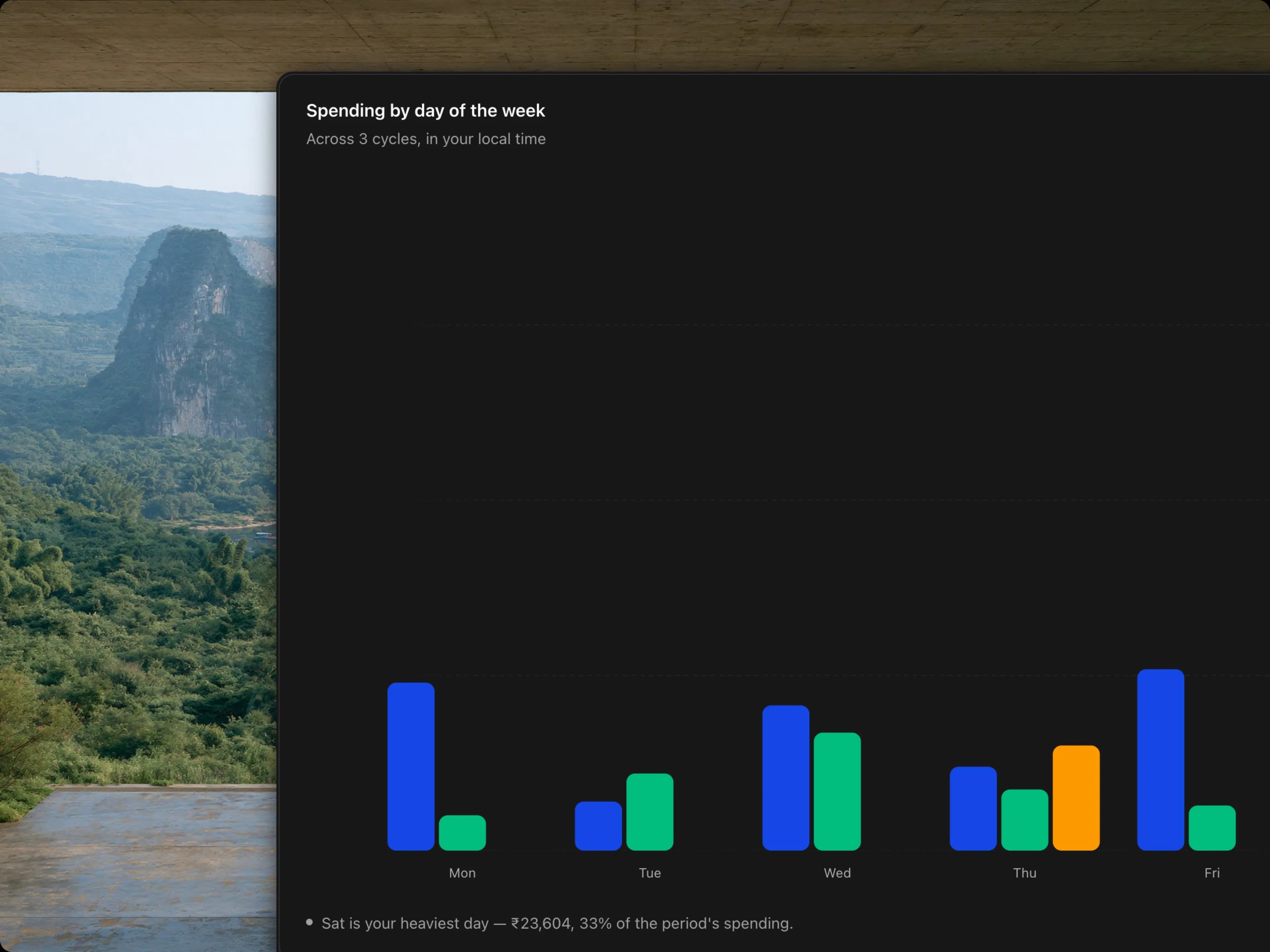
Bars showing spending for each day of the week across three budget cycles, with Saturday the heaviest
Your pattern across cycles, in your own local time.

Habits show up here that a monthly total hides completely. Spread across several cycles, one heavy day is a coincidence; the same heavy day every week is a habit.

Also

  • Charts respect your reduced-motion setting — no animation if your system asks for none.
  • Cycle labels use your timezone, so a cycle that starts on the 1st no longer reads as the 31st.
  • Analytics is now a tabbed surface, and the charts are lighter and quicker to draw.

Fixed

  • Wrapped now appears only in the last few days of the month, worked out in your own timezone — and stays away entirely when the month has nothing worth looking back on.
Ask Blipko anything

Feature

You could always log a spend by texting. Now you can ask about one.

The numbers aren't guessed

This is the part that matters.

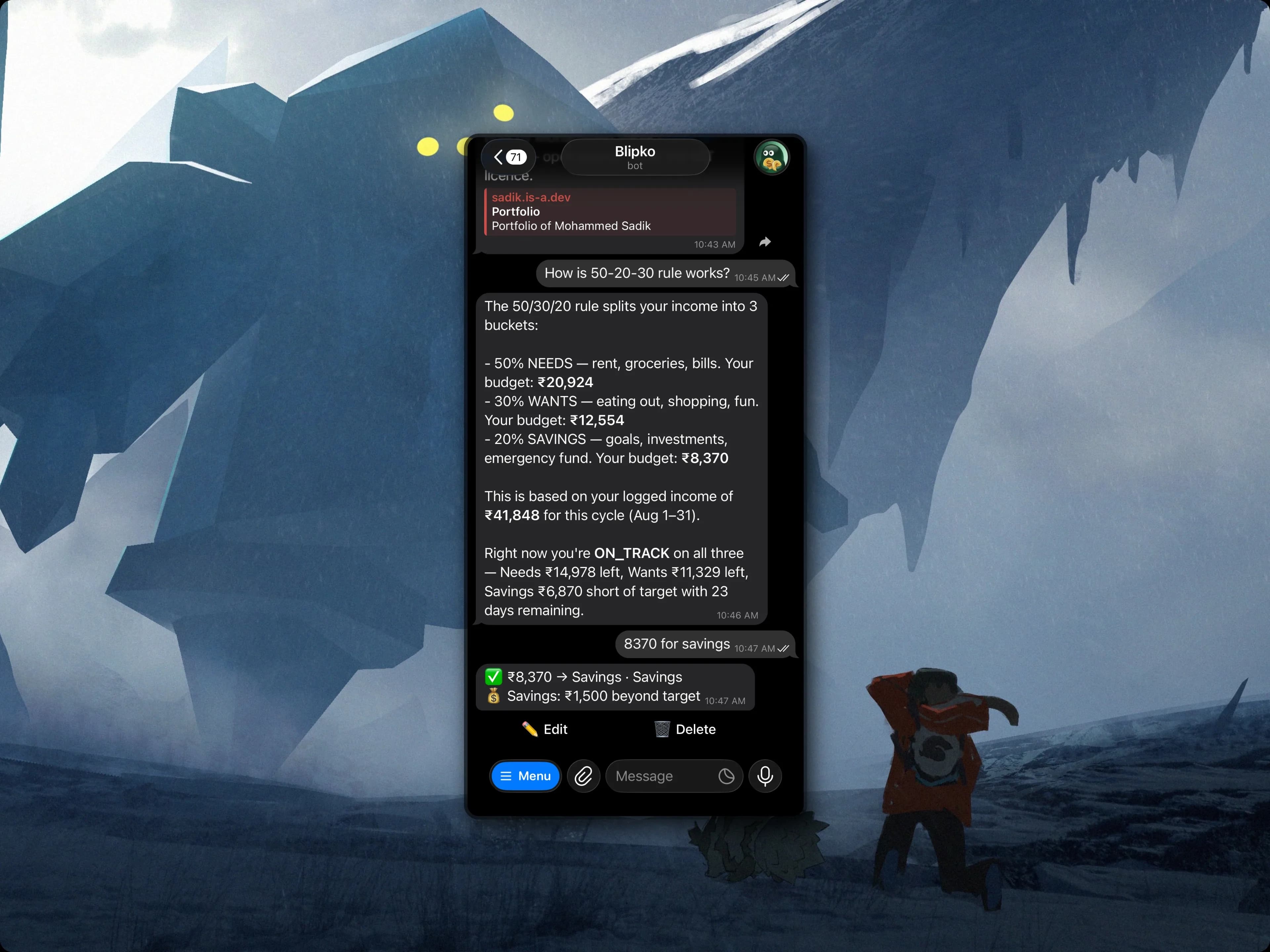
Blipko explaining the 50/30/20 split using the user's own budget figures, then logging a savings entry from the next message
Not a textbook answer — your split, your income, your remaining days.

Ask how 50/30/20 works and you don't get the Wikipedia version. You get your split, worked out from the income you've actually logged this cycle, with what's left in each bucket and how many days it has to last.

Every figure comes out of your own records, and every comparison is settled before the AI is involved — affordability is a yes/tight/no decision made in code, cycle comparisons arrive with the difference already calculated. The AI chooses what to look up and how to say it. It doesn't do the arithmetic.

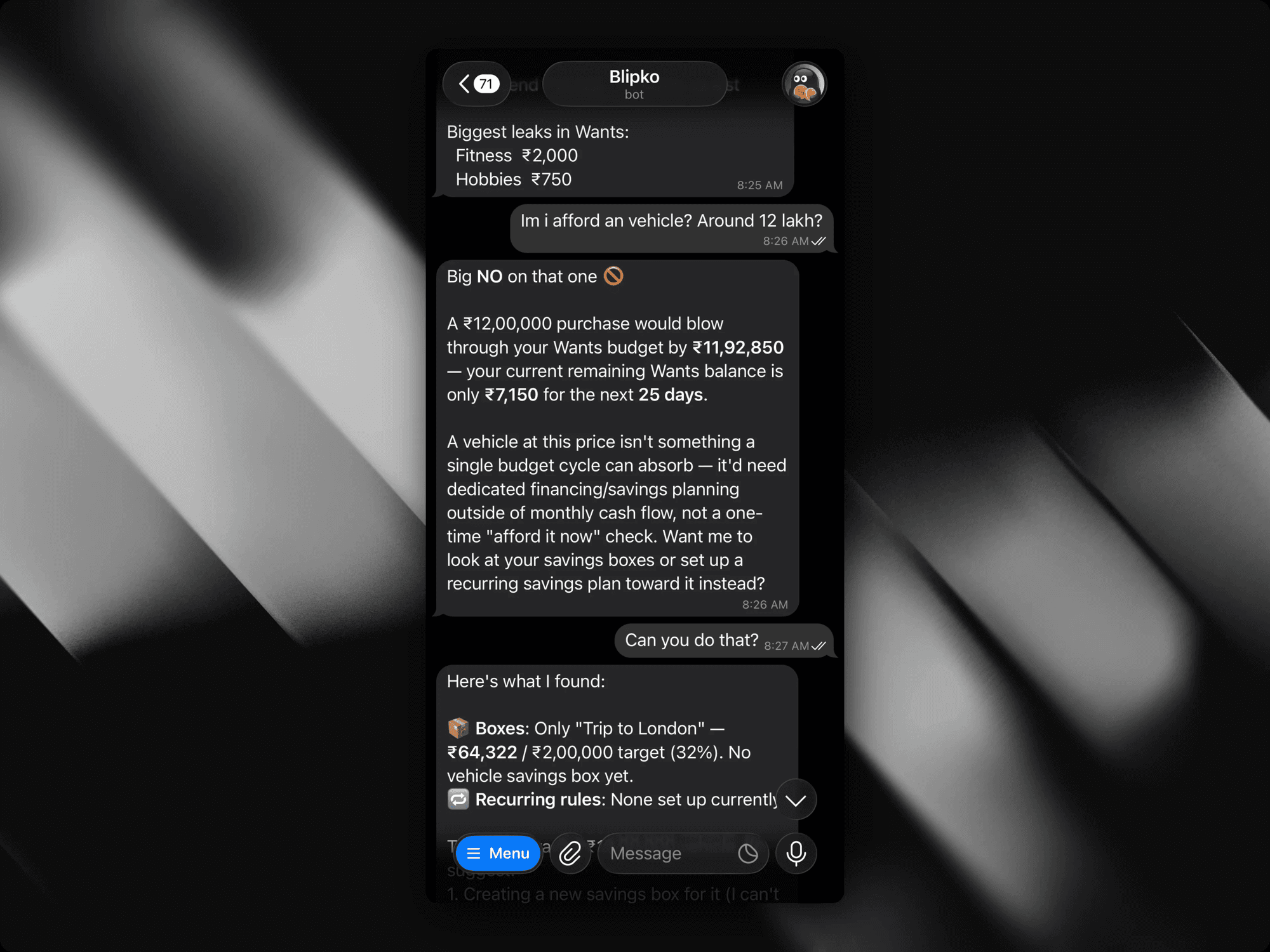
Which also means it will tell you no.

Blipko refusing a 12 lakh vehicle purchase with the exact shortfall, then checking the user's savings boxes and recurring rules
A straight no, the size of the gap, and what to do instead.

Ask whether you can afford something well out of reach and you get a straight no with the size of the gap — then it goes and looks at what you'd actually need: your boxes, your recurring rules, what's already set aside. A budget that only ever says yes isn't worth asking.

It will also tell you when it simply doesn't know. Ask about a category with nothing logged against it and you get "nothing recorded" — never a confident ₹0.

It can explain itself, too

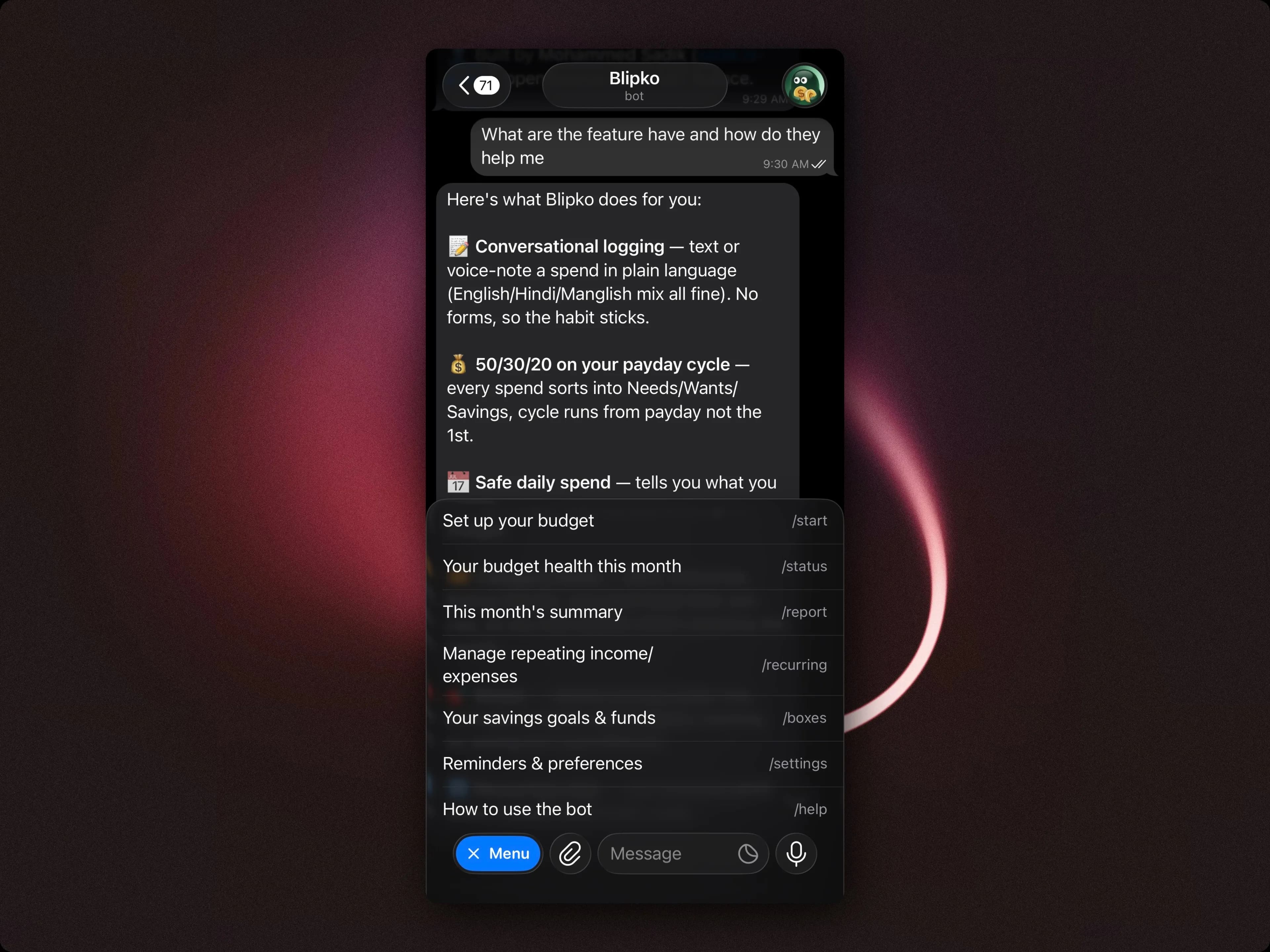
Blipko listing its own features in chat, each with a line explaining what it is for
Every feature comes with the reason it exists.

"What can you do?" used to be the one question the bot couldn't answer. Now it lists what it has — and why each one is there, because that's the thing people actually want to know before trusting an app with their money. Ask how it works, where your dashboard is, or who built it, and it answers from a maintained list rather than improvising, so it can't invent a feature that doesn't exist.

Ask out loud

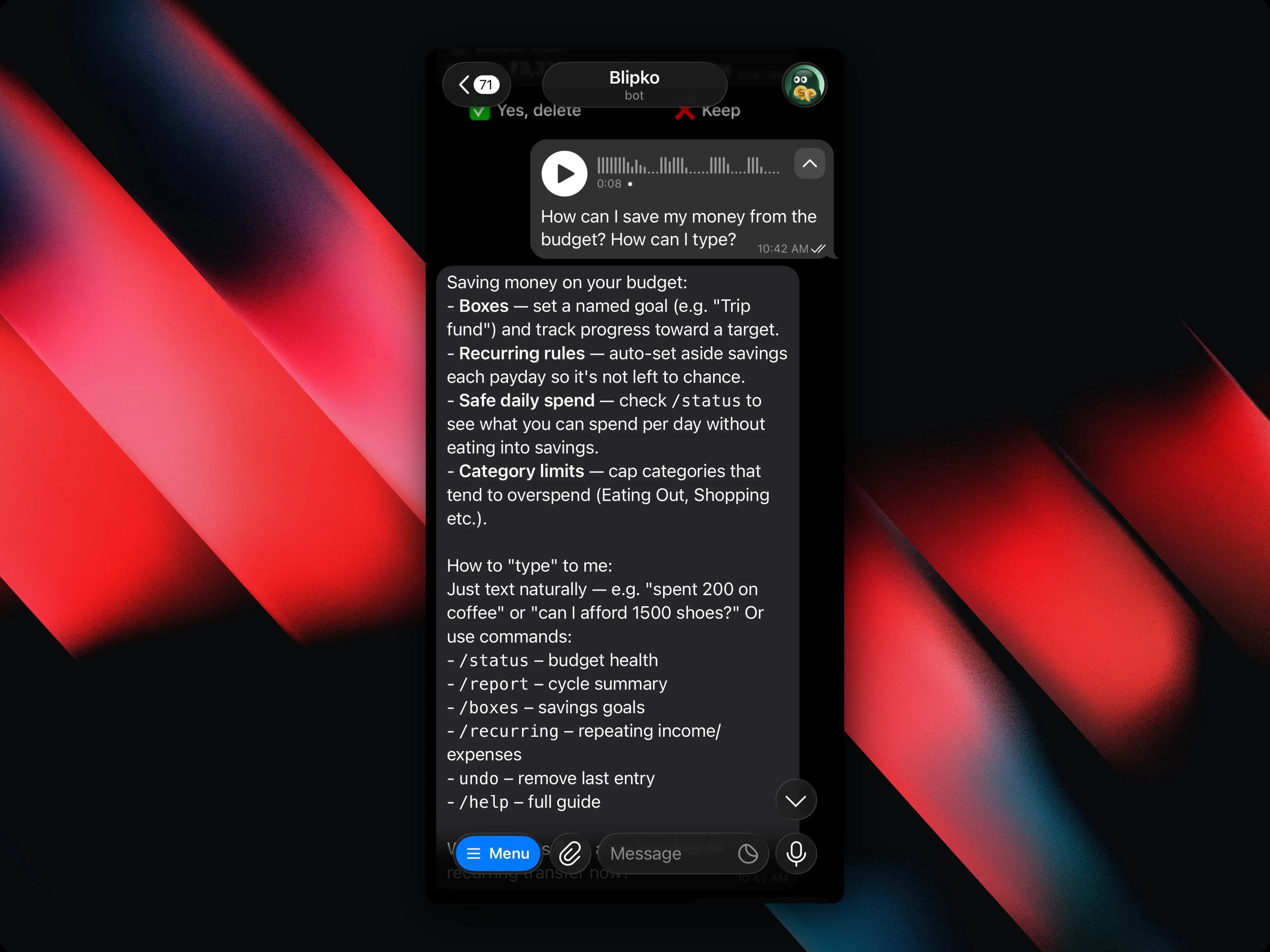
A voice note asking how to save money, answered in chat with savings options and the list of commands
Voice notes work for questions now, not just for logging spends.

Voice notes used to be for logging a spend. Now you can ask a question the same way and get the same grounded answer back.

Changes are proposed, not made

It can edit a spend, delete one, set up a recurring rule, or move money into a box — but it only ever proposes. You get a one-line summary built from the actual record it would touch, and Confirm and Cancel buttons. Nothing is written until you tap.

Also

  • Dates work in your timezone. "Yesterday" means your yesterday, including late at night, when it used to mean the server's.
  • Questions about a specific category no longer come back empty when you've customised that category.

Savings boxes, and your year Wrapped

Feature

"Save 20%" is a number. "₹2 lakh for the trip in December" is a goal. Boxes are for goals.

Creating a box, then moving a transaction into it.
  • Goal boxes have a target and fill up as you add to them.
  • Fund boxes are open-ended — an emergency fund with no finish line.
  • Move money in from anywhere, including moving an existing transaction into a box after the fact.
  • Recurring contributions so a box fills itself every month.
  • Every movement is a ledger entry, so a box can always tell you where its money came from — and any move can be reversed.

Earmarked income

Income can be earmarked straight into a box on the way in. That money stops counting as spendable, so your safe-to-spend figure stays honest.

Wrapped

Wrapped — your year in numbers, exportable as an image.

A look back at your year: what you spent most on, your biggest month, how your buckets held up. Export it as an image if you want to share it.

Also new

  • Per-category breakdown pages — tap any category to see just its transactions.
  • Multi-select filters and column totals on the transaction tables, so you can slice by several categories at once and see the sum.

Fixed

  • Chart bar colours read from the theme tokens instead of hardcoded hex, so they're correct in both light and dark mode.

Edit anything, from anywhere

ImprovementFeature

Undo was the only correction Blipko understood. Now you can fix things properly, from whichever surface you happen to be on.

The Blipko dashboard showing bucket budgets and recent spending
Edit and delete from Telegram, with a confirmation step so nothing vanishes by accident.
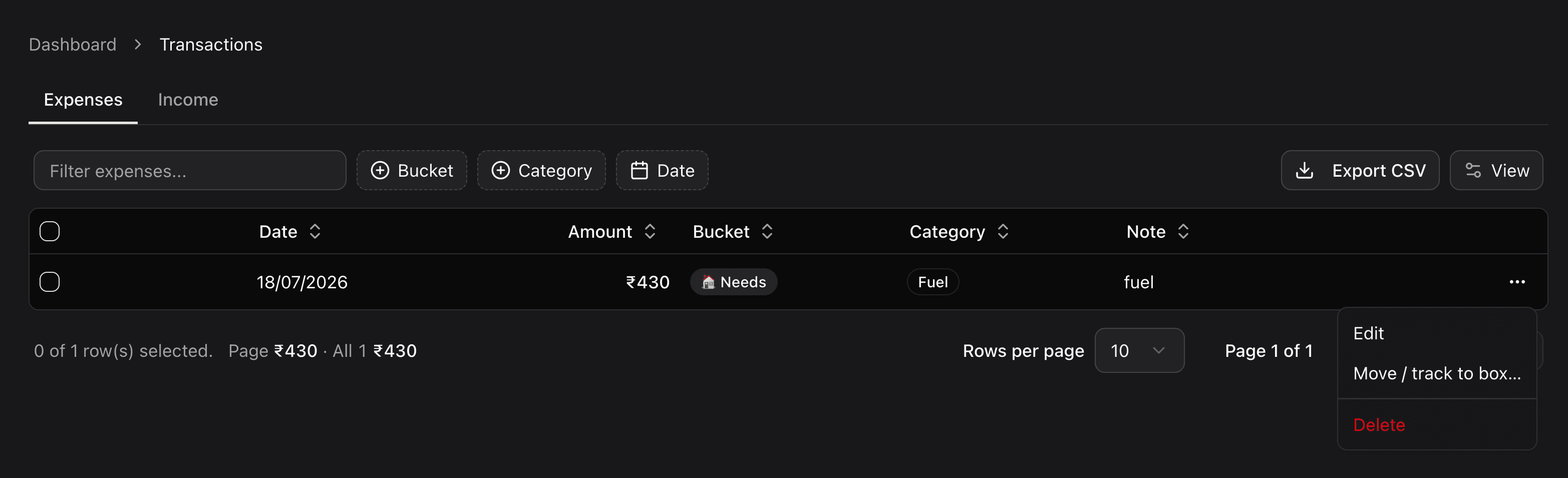
The blipko dashboard transactions page is showing the inline transaction edit and delete Feature
Edit and delete from the dashboard, inline in the transaction tables.
The Blipko telegram is showing the several transactions in on message
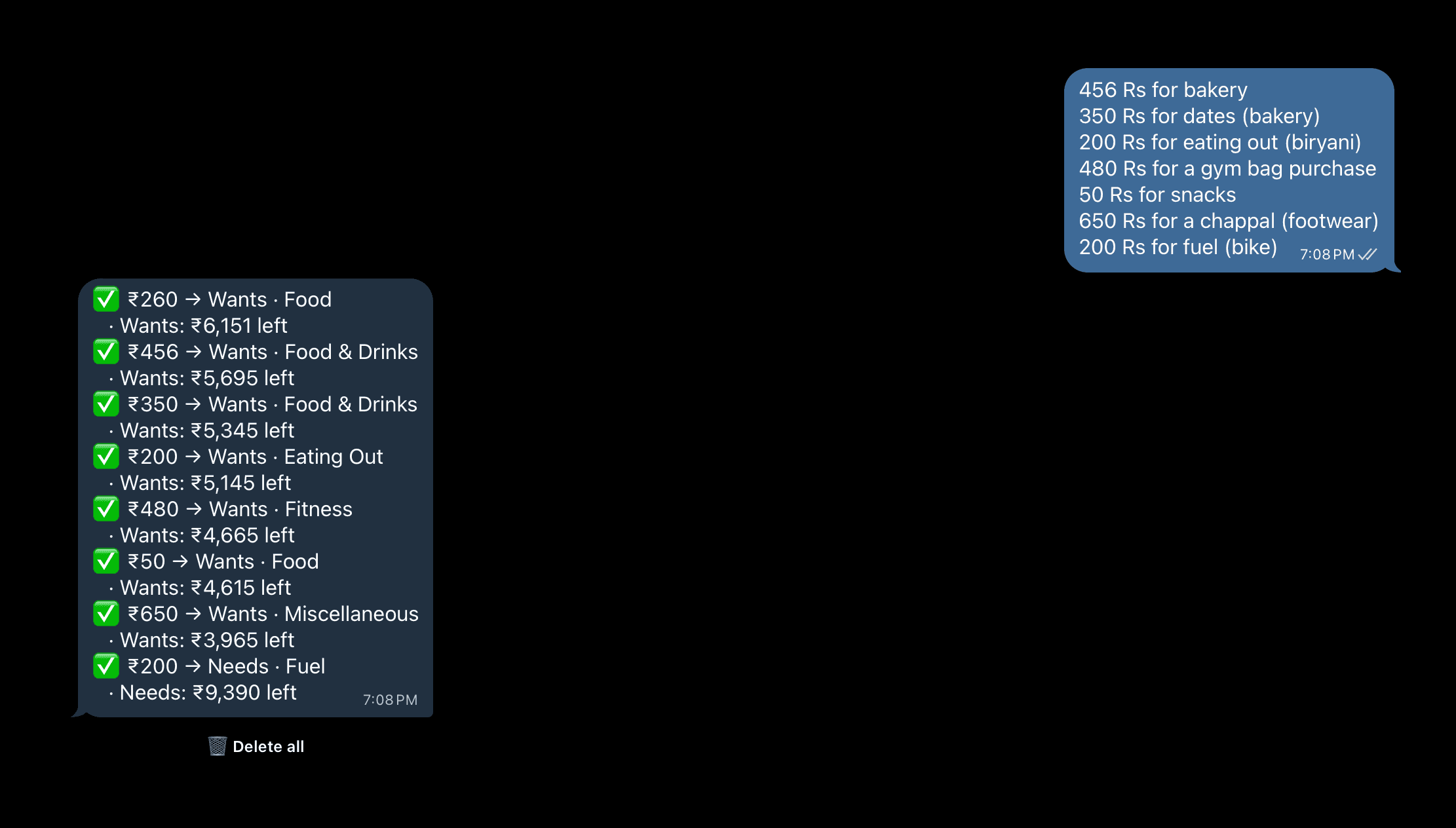
Several spends in one message.
The Blipko dashboard showing bucket budgets and recent spending
Negative amounts are normalized rather than corrupting your totals.

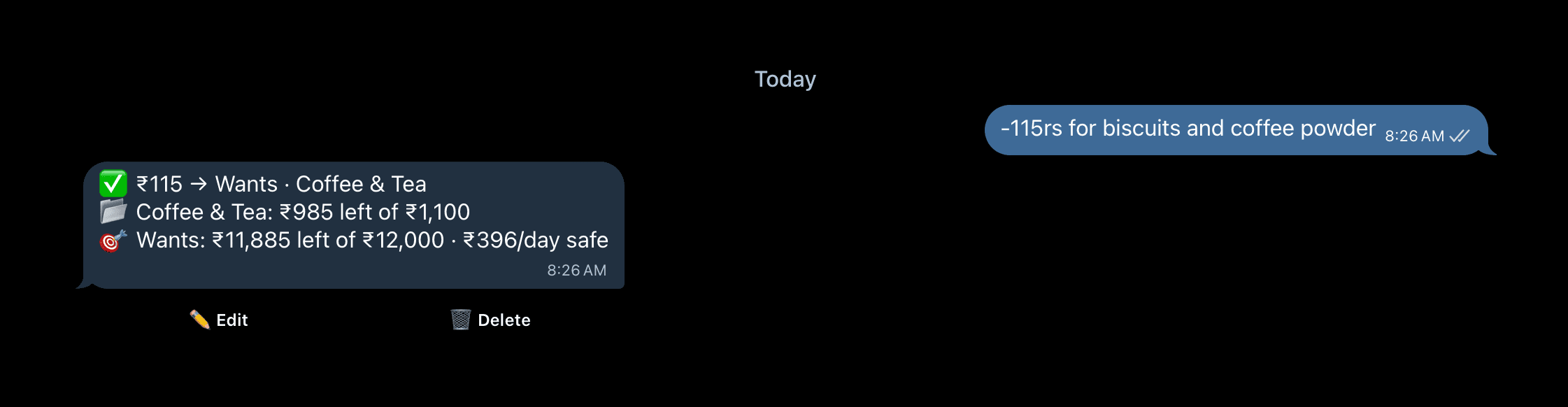
Every confirmation shows your budget

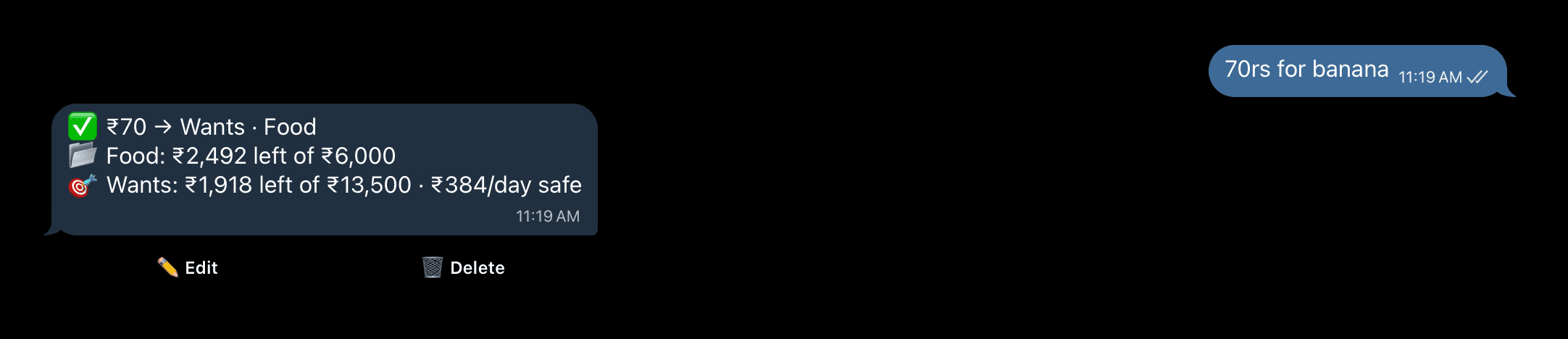
When Blipko records a spend it now replies with the category budget and the bucket budget it landed in — so you learn where you stand without asking.

Scheduling that respects your timezone

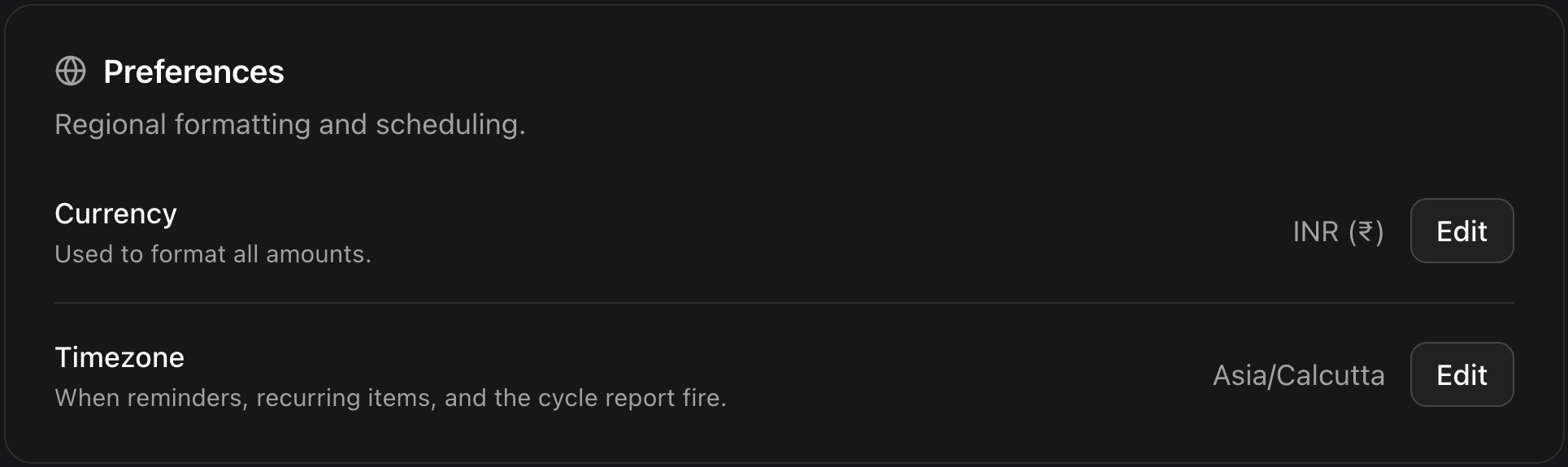
Nudges, reports and recurring charges all fire against your own timezone, which you can change in Account settings. No more 3am reminders.

Account settings, organised into sections with modal editing
Account settings, reorganised into sections.

Also new

  • Connect Telegram by QR — scan it from your phone instead of typing. The dashboard detects the connection and moves on by itself.
  • Category emojis, picked from a proper emoji picker.
  • A FAQ page, and a marketing navbar that goes somewhere.
  • Interaction sounds across the dashboard, off by default, with a toggle in settings.

Fixed

  • The transaction date filter works in range mode.
  • Beating your savings target is celebrated instead of flagged red.
  • The Recent Expenses card is usable on a phone.
  • Motion respects prefers-reduced-motion throughout.

Categories you control

FeatureImprovement

Buckets are a good default. But "Wants" covers both your coffee habit and your gym membership, and you probably want to see those separately.

Onboarding that sets you up properly

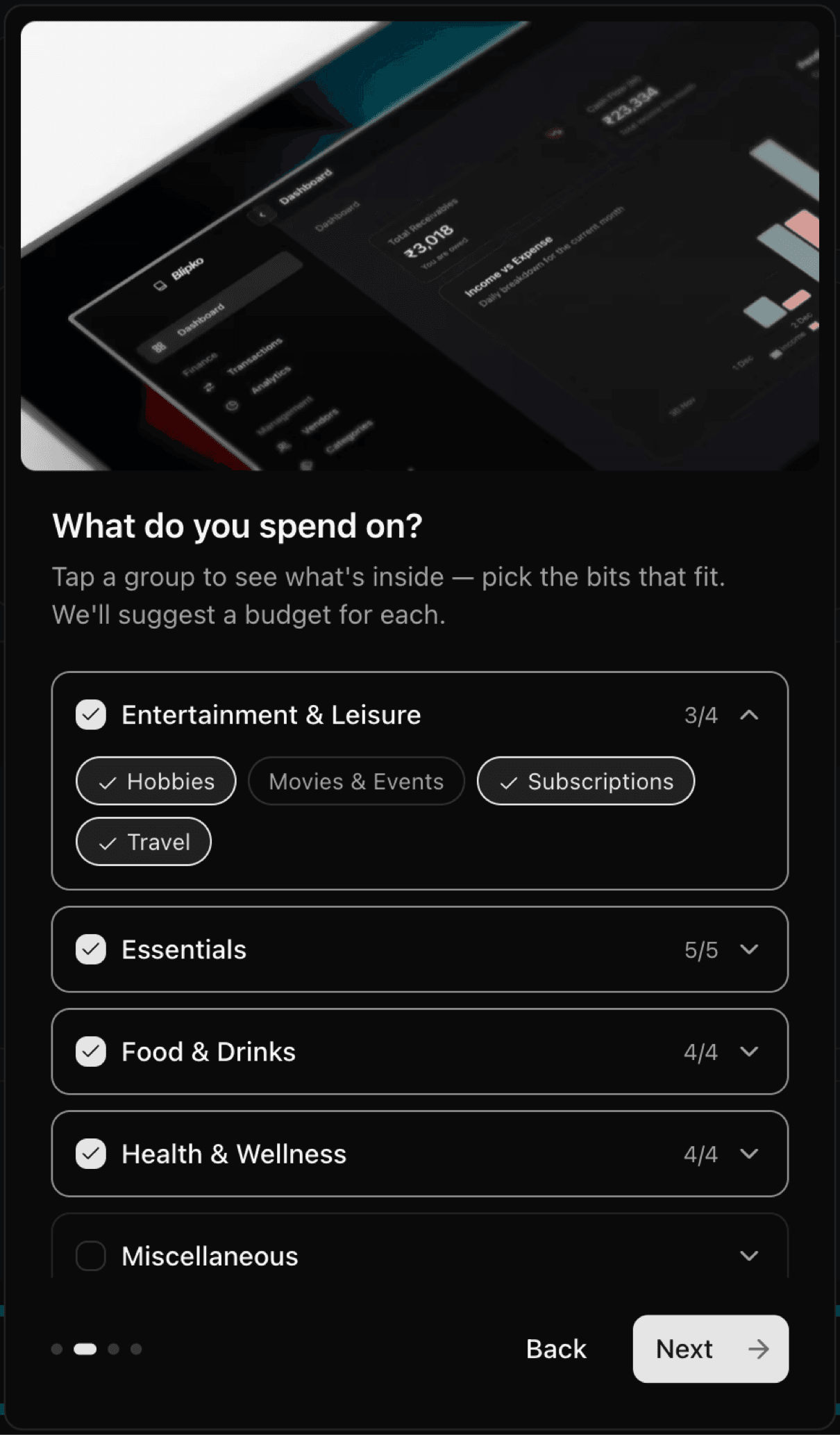
A three-step wizard on the web: your income, the category groups that match how you actually live, and how loudly you want to be reminded. Blipko builds your taxonomy from that and you're tracking in under a minute.

Category management with per-category budgets and spend pacing
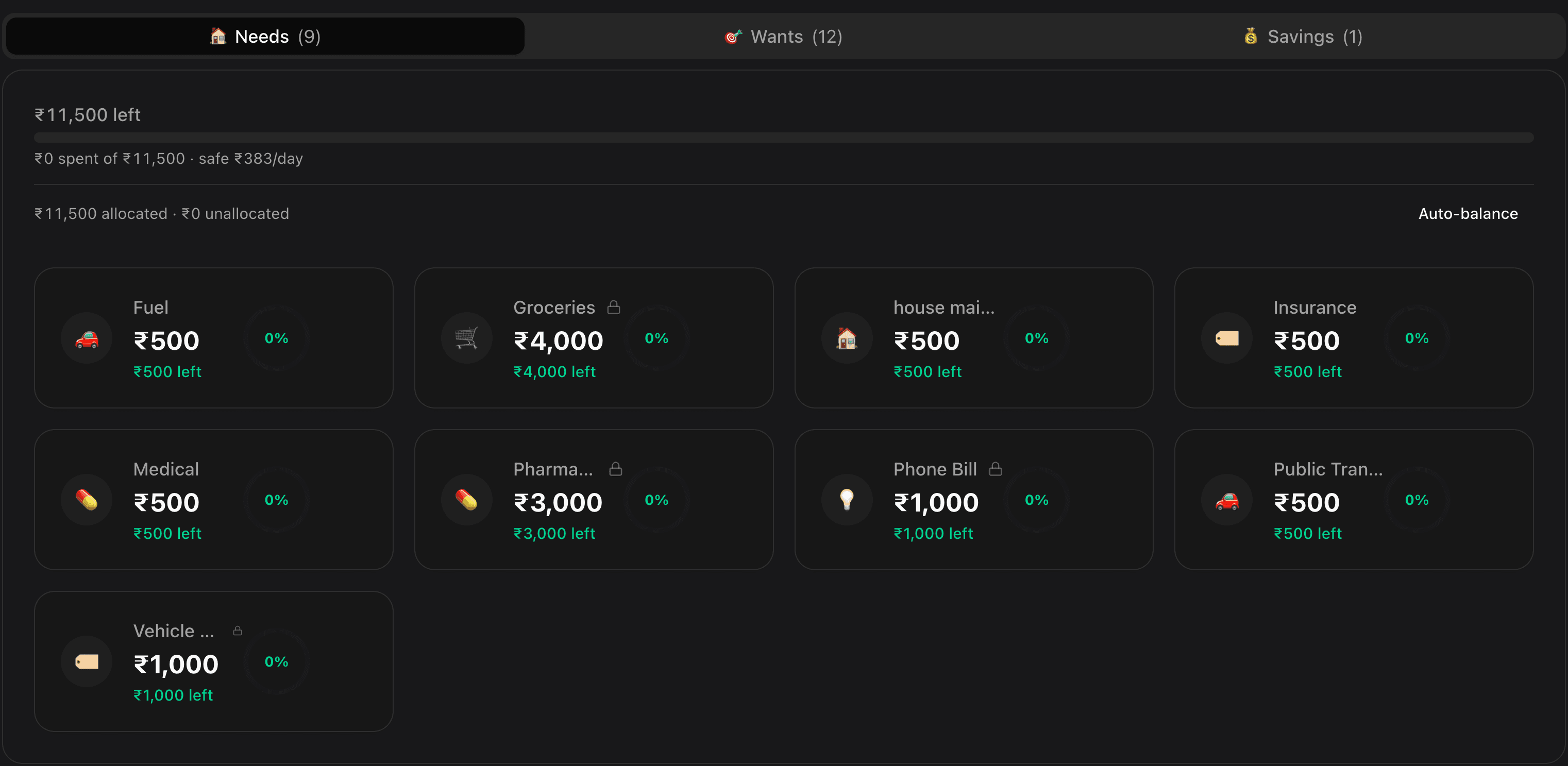
Per-category budgets, with pacing so you can see what's running hot.

Pin what matters, auto-balance the rest

  • Pinned budgets stay exactly where you put them. Rent is rent.
  • Auto-balance distributes what's left across everything unpinned, weighted by how you've actually been spending — not evenly.
  • Suggestions come from your own history, so a new category starts with a number that isn't a guess.

Auto-balance never drops a category below a minimum floor, and always asks before it changes anything.

/report compares cycles now

Your end-of-cycle report shows deltas against the previous cycle — up or down, per bucket — and arrives on its own once the cycle closes.

Fixed

  • Group rows no longer show spend or budget of their own, so bucket totals reconcile.
  • Uncategorized spend is visible instead of quietly missing from the total.
  • Early-cycle projections are suppressed until there's enough data to be meaningful, rather than screaming about a single large Monday.
  • Savings is framed as a goal you're progressing toward, not a budget you're breaching.
  • /help actually explains everything the bot can do.

Recurring bills, and a budget that starts on payday

FeatureImprovement

Rent doesn't need retyping every month, and your money doesn't reset on the 1st if you're paid on the 25th.

The Blipko dashboard showing bucket budgets and recent spending
Your buckets, how full they are, and what's safe to spend today.

Recurring rules

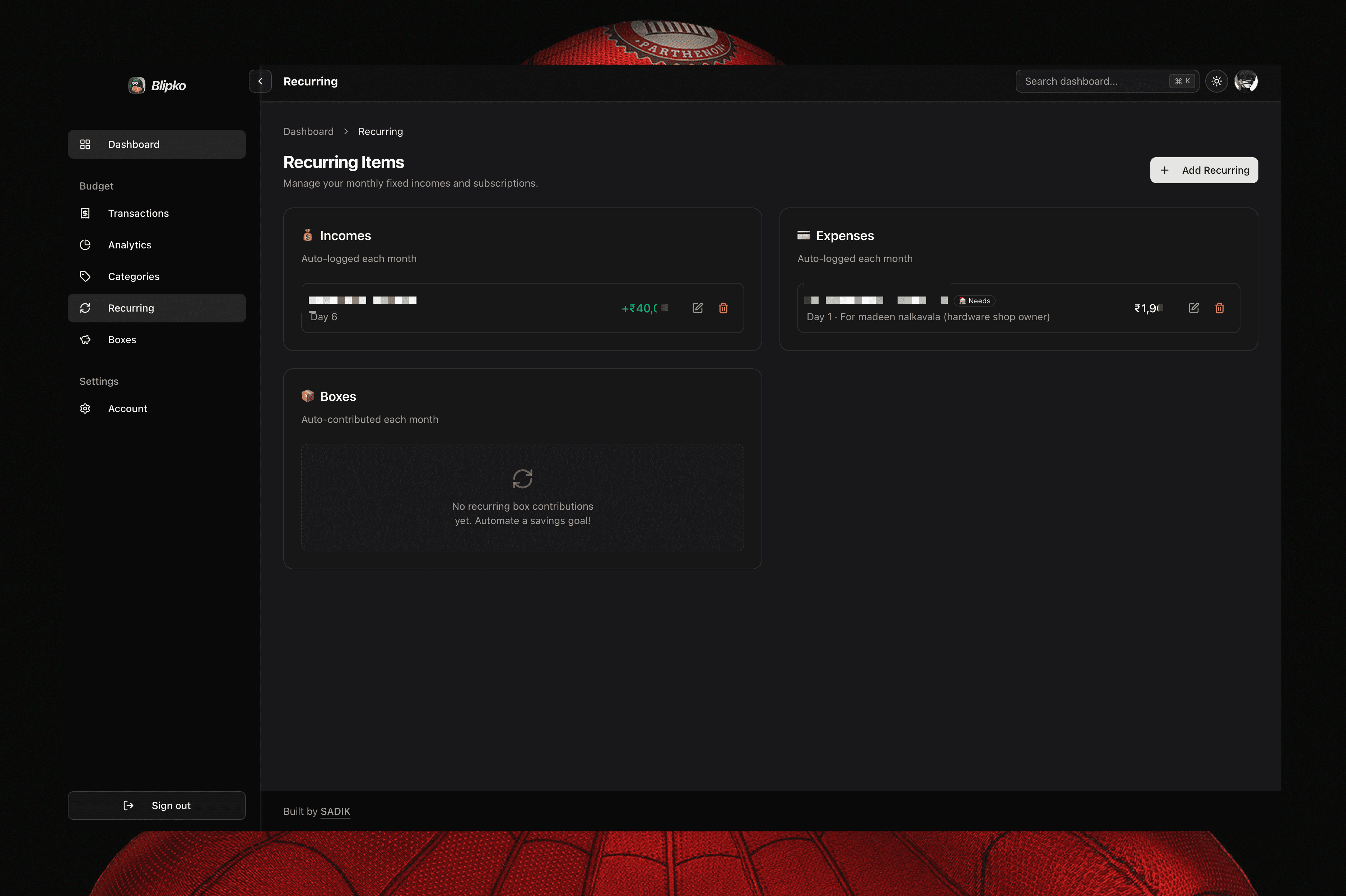
Tell the bot rent 12000 every month and it becomes a rule. From then on Blipko posts it on the due date and tells you it did. Works for income too, so your salary lands automatically.

Manage them all from Dashboard → Recurring: pause one, change the amount, or delete it.

Your budget follows your payday

Set your payday and the whole budget cycle moves with it. Paid on the 25th? Your cycle runs the 25th to the 24th, and /status paces your daily spend against that window instead of the calendar month. Payday on the 1st behaves exactly as before.

Income, properly tracked

  • Income is now first-class: log it by chat, and see it in Transactions → Income.
  • Analytics gained an income vs spending view with your net for the cycle.
  • Your budget tracks actual income rather than assuming your expected salary — floored at the expected figure, so a slow month doesn't shrink your budget.
The Blipko dashboard showing bucket budgets and recent spending
Income and expenses will show as analytics

Blipko is a budget tracker now

Feature

Tracking what you spent is only half of it. The question people actually ask is can I afford this? — so Blipko now runs a real budget behind every message.

Every expense is sorted into one of three buckets:

  • Needs — rent, groceries, bills. Target 50% of income.
  • Wants — eating out, subscriptions, that impulse buy. Target 30%.
  • Savings — what you keep. Target 20%.
The Blipko dashboard showing bucket budgets and recent spending
Blipko dashboard category section showing how they keep in the budget

New commands

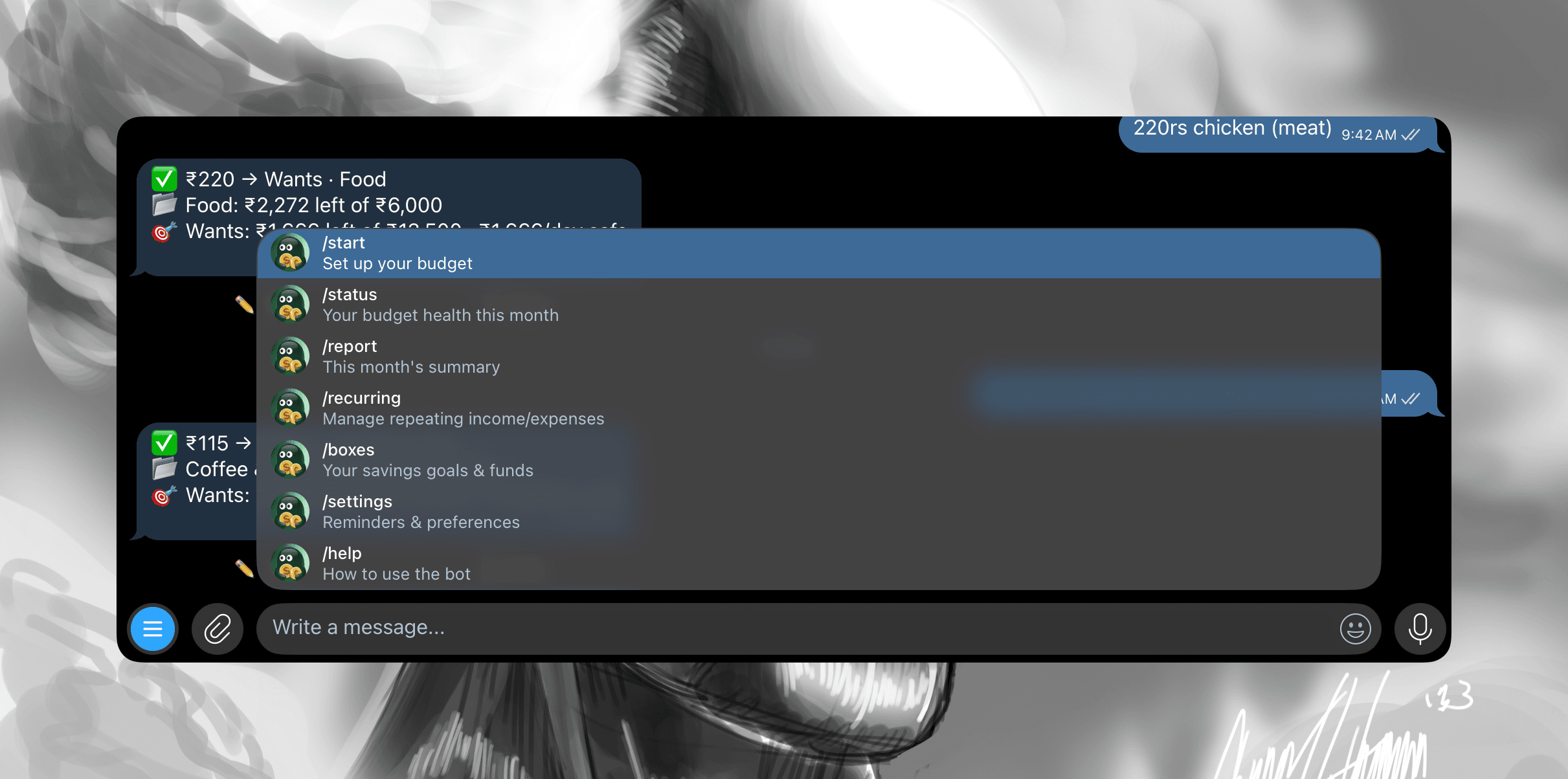
  • /status — where each bucket stands and how much you can safely spend per day for the rest of the cycle.
  • /report — a monthly summary of where the money went.
  • Undo — got a number wrong? Undo the last entry from the chat.
The Blipko dashboard showing bucket budgets and recent spending
Blipko commands rows

Nudges, at your chosen volume

Blipko can warn you as a bucket fills up. You pick the dosage — off, gentle, aggressive, or relentless — so it's a nudge, not nagging.

Showing the settings page of the blipko notification frequency
Your preferences is matters.

Nudges default to off. Turn them on from the bot's settings whenever you want them.

Fixed

  • Linking a Telegram account to an existing web login now merges the two instead of creating a second account, so bot expenses show up in the dashboard straight away.

Blipko moves to Telegram

Feature
The Blipko dashboard showing bucket budgets and recent spending
Blipko on telegram. Just say /start

Blipko started life on WhatsApp. It now lives in Telegram, which means no business-API gatekeeping, instant slash commands, and a chat that opens on every device you already own.

  • Log spends by chatting. Send chai 30 and it's recorded. Malayalam, Manglish and English all work, by text or by voice note.
  • Slash commands for the things you do often — /help to see everything.
  • One-tap account linking. Open the dashboard, tap Connect, and the bot opens already signed in as you. No copying codes between screens.

Also in this release

  • A Kerala-first landing page, written for people budgeting in rupees.
  • Deployed on Railway, so the bot answers immediately instead of cold-starting.
  • Security pass across both the bot and the web app: ownership checks on every record, timing-safe token comparison, and escaped Telegram markdown.