Nothing gets lost
Three things Blipko used to throw away: the money you didn't spend, the correction you just made, and your privacy the moment someone glanced at your screen.
Privacy mode
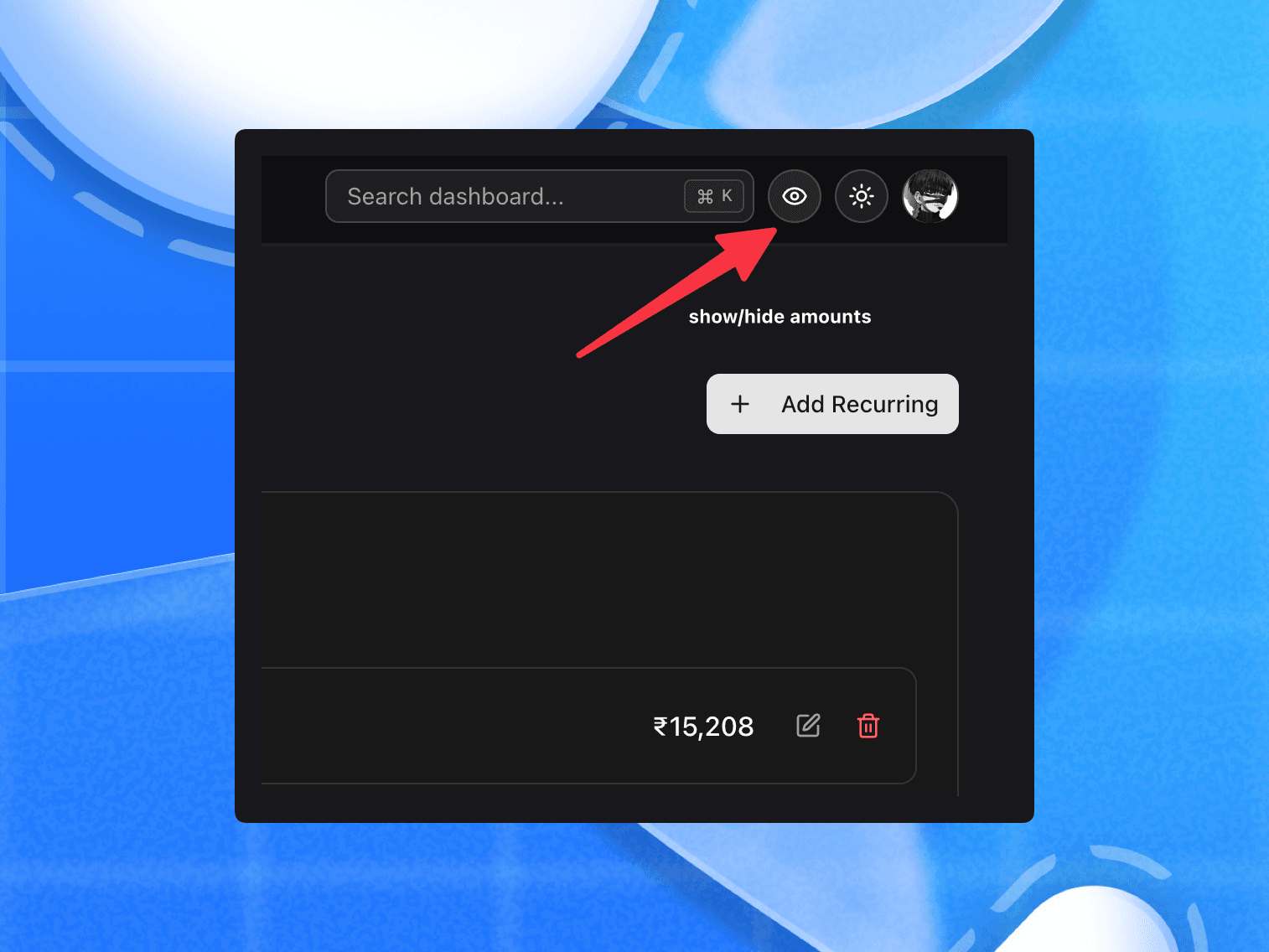
Every dashboard page leads with money, so opening it in a cafe or handing someone your phone shows them your whole financial position. The eye in the top bar blurs every figure on screen — category names, dates, chart shapes and navigation all stay readable, so the app is still usable, just not legible over your shoulder.
Click any blurred figure to reveal that one for a few seconds. The toggle also lives under Account → Appearance and in the ⌘K menu, it's remembered per device, and it's applied before the page paints, so a reload never flashes your balance.
Form inputs and CSV exports stay readable on purpose — you can't edit what you can't read, and an export never renders on screen.
This is a blur, not encryption. The number is still in the page for anyone who opens devtools. It's a guard against someone looking at your screen, and that's all it claims to be.
Last cycle's leftover carries forward
Leftover money used to get printed in the cycle report and then forgotten — not saved, not spendable, just gone at the boundary. Now you get asked once, at the start of the cycle, where it should go:
- Savings files it as a savings expense, optionally straight into one of your boxes.
- Opening balance adds it to this cycle's budget, so the month you're starting is genuinely bigger.
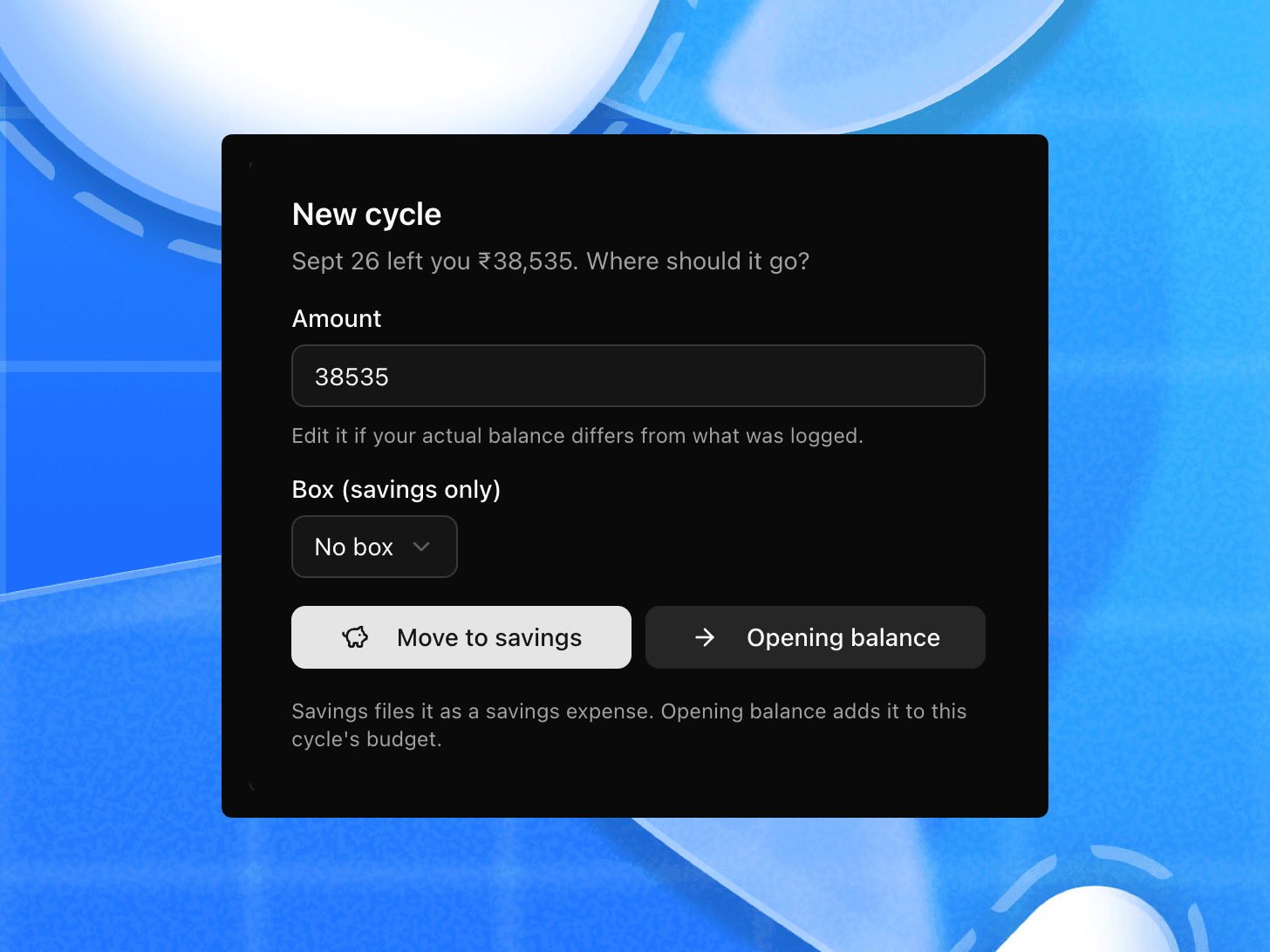
The same question appears on the dashboard, and answering it in either place settles both — you can't be asked twice, and you can't carry the same leftover twice. If the suggested figure doesn't match your actual balance, Different amount lets you say what it really was.
Carried money doesn't count as something you earned, so your savings rate stays honest.
It remembers the correction
Correcting chai from Snacks to Coffee & Tea five times taught Blipko nothing —
the sixth chai 30 was guessed with exactly the same information as the first.
Now the correction sticks. Fix a spend's category and the next message using that
phrase is filed the way you said instead of re-guessed. It works per phrase and
in your own script, so പെട്രോൾ 500 and चाय 30 each get their own memory. When
you correct from the Telegram buttons, Blipko tells you it's learned it;
corrections from the dashboard — the review inbox, the edit dialog — are picked
up quietly.
No more near-duplicate categories
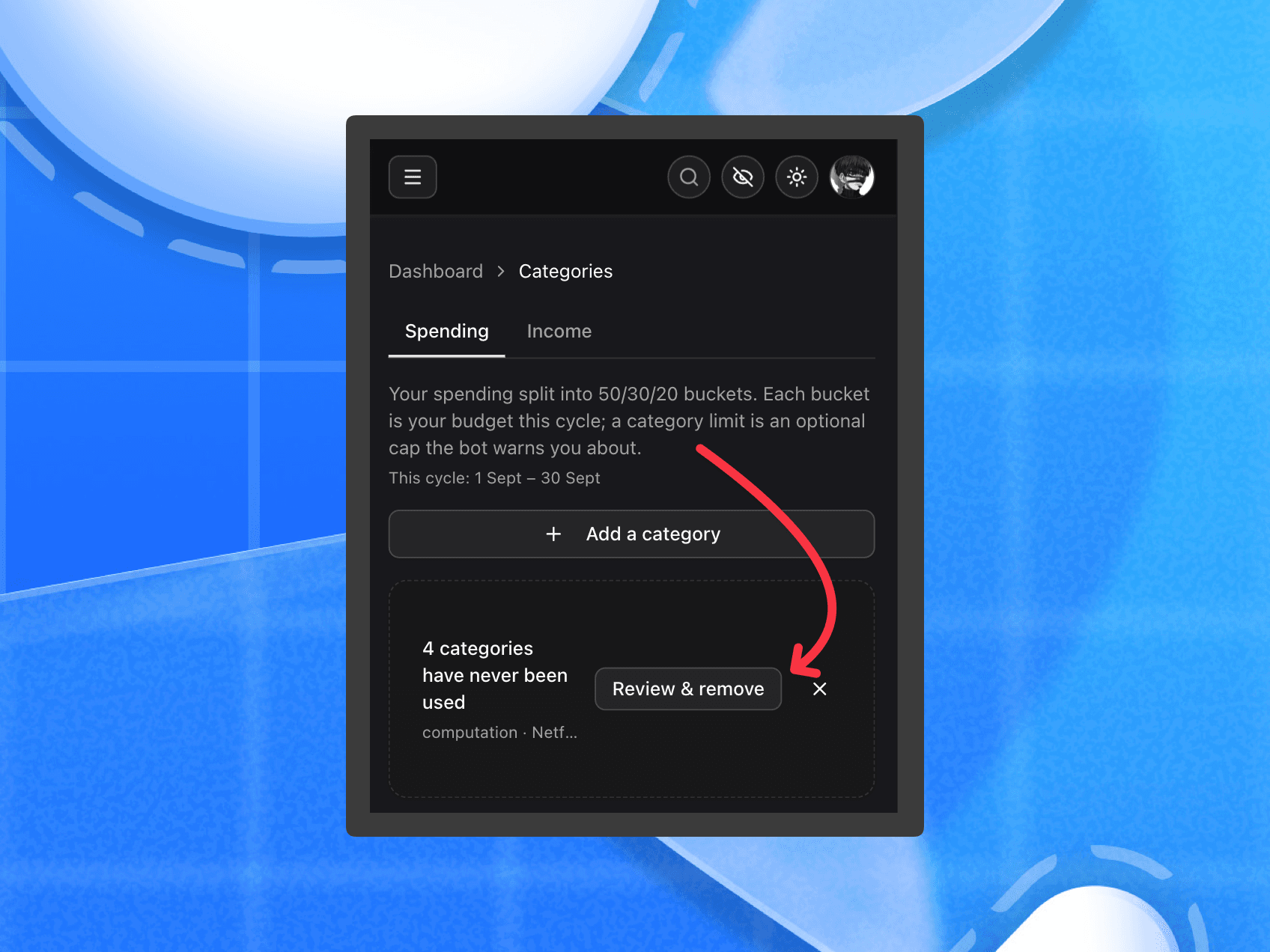
Category lists used to bloat: Snack never matched Snacks, and the bot was
free to invent a name when nothing fit, so Food appeared next to your
Eating Out. Now it reuses what you have — case, punctuation, & against and,
and plurals all match — and it never makes up a name. A category is only created
once you've actually confirmed the spend, so an abandoned message leaves nothing
behind.
New accounts start with an empty list instead of twenty-odd categories nobody picked; they appear as you spend. Existing accounts get a cleanup card rather than a silent purge, and anything you've used — or taught Blipko — is left alone.
Reminders that actually remind
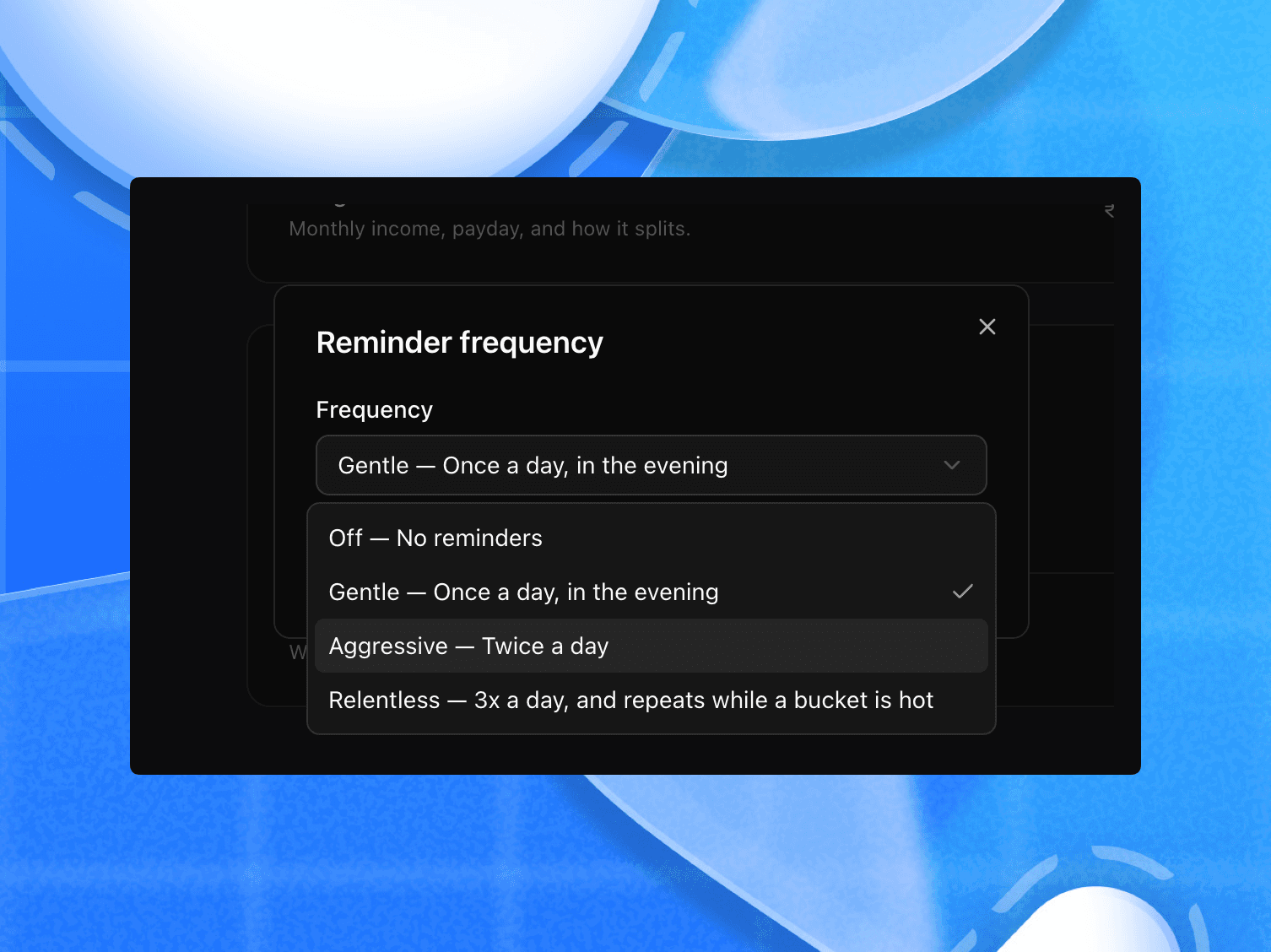
The frequency setting was decorative. Every level sent at most one burst a day, and on Gentle you could go a whole cycle hearing nothing at all. A bucket that crossed 80% got one alert and could then sit at 88% in silence for the rest of the month.
Now the level means what it says — Gentle once a day in the evening, Aggressive twice, Relentless three times — and a bucket that's running hot gets raised again the next day instead of going quiet after one mention.
Fixed
- Reminders, cycle reports and recurring charges stop being skipped. They needed to fire in an exact hour, and the scheduler drifts, so they were landing on roughly half the days they should have. They now run on a window.
- Saving a bot-created recurring rule from the dashboard no longer drops its category.
- The assistant no longer gives up with "I couldn't work that out right now" on longer questions.